
Prefect pipeline with Agentic LLM Log Analysis
Introduction
This project is less about the data pipeline itself and more about what happens when things go wrong. It focus mostly in the error simulation handling, analysed by the LLM model which can provide an reasonable response helping the pipeline understanding.
The currency pipeline intentionally fails, and that’s the point. Every error it throws gets picked up by a local LLM agent that reads the logs, figures out what broke, and sends a diagnosis by email.
Architecture
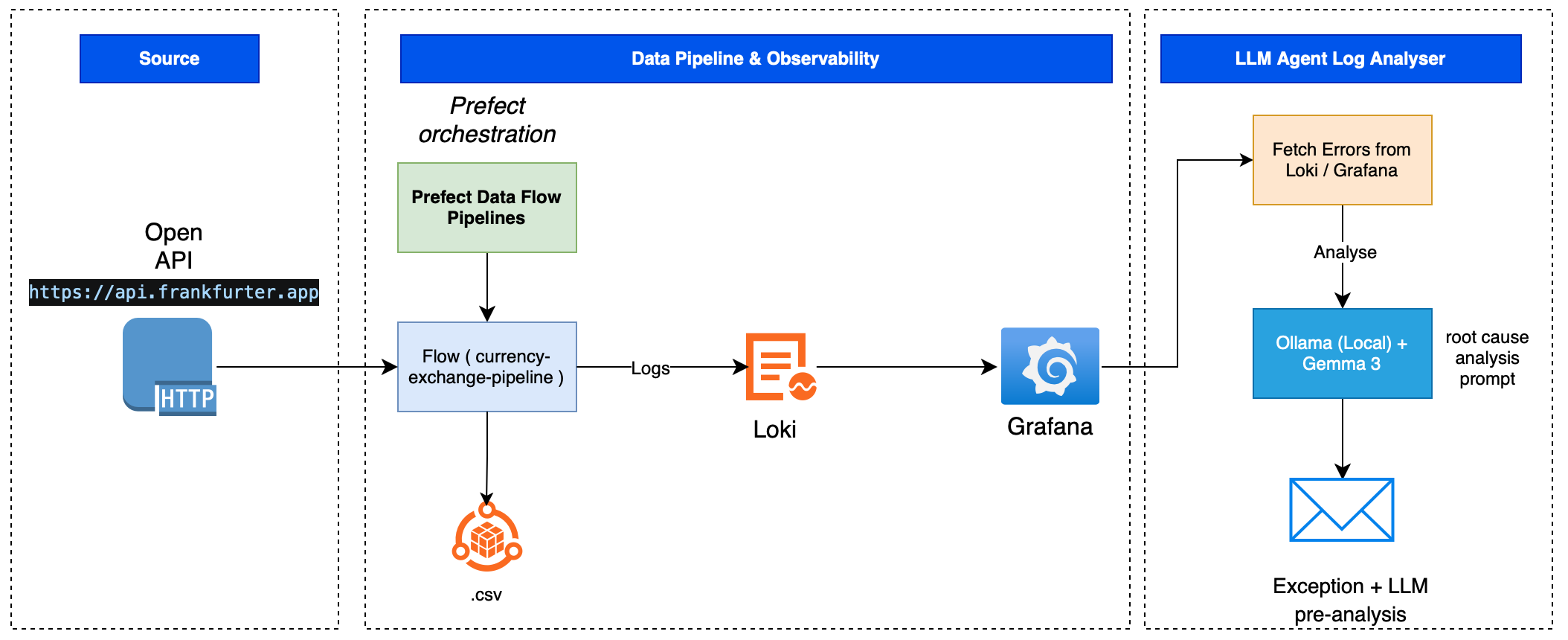 The system has 3 main layers:
- Source: Frankfurter API, a free open API for EUR exchange rates.
- Data Pipeline & Observability: Prefect orchestrates the flow; logs are pushed to Loki/Grafana.
- LLM Agent: A hook queries Loki for errors, sends them to Ollama (Gemma3 running locally), and send email with the diagnosis.
Requirements
- Python 3.13+
- Docker & Docker Compose
- Ollama installed locally
- Gmail account (or any SMTP) for email notifications
Step 1 - Clone and install
git clone https://github.com/lucnietoX/logging-agent-llm
Create and activate a virtual environment:
python -m venv .venv
source .venv/bin/activate  # on macOS/Linux
Install dependencies:
pip install -r requirements.txt
Step 2 - Configure environment variables
Copy the template and fill in your credentials:
cp template-env .env
Edit .env:
SMTP_SERVER="smtp.gmail.com"
SMTP_PORT=587
SENDER_EMAIL=your@gmail.com
SENDER_PASSWORD=your_app_password
RECEIVER_EMAIL=receiver@gmail.com
LOKI_URL="http://localhost:3100/loki/api/v1/query_range"
Step 3 - Start the infrastructure
Download and Install the Gemma3 model.
I choose the model Gemma3, provided by Google. (https://ollama.com/library/gemma3)
Command:
ollama run gemma3:4b

List all the services in ollama:
ollama ps

Activate the ollama server if down:
ollama serve
Activate Docker:
docker compose up -d
Wait for all services to be healthy:
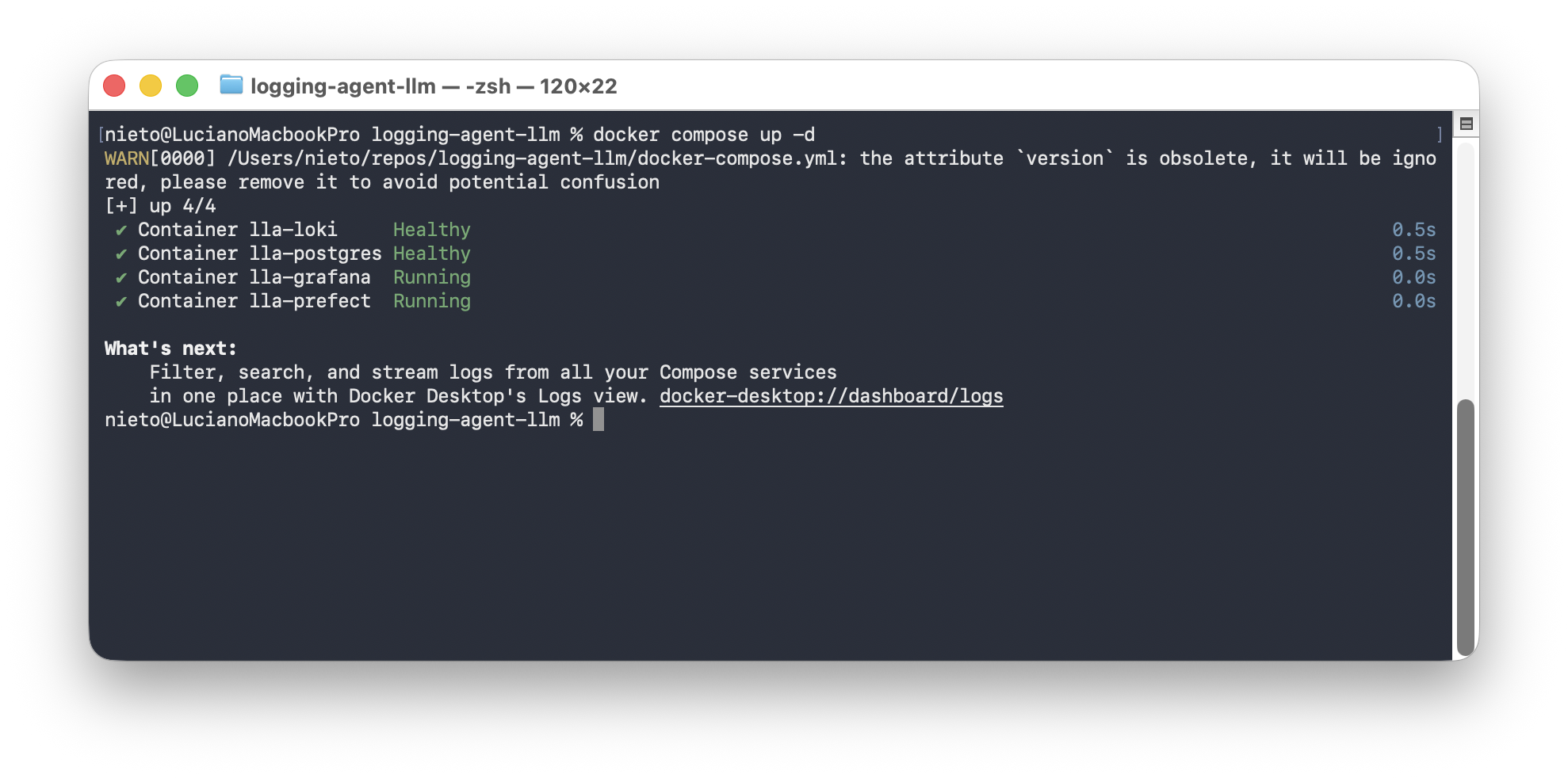
docker compose ps
The docker-compose.yml activates:
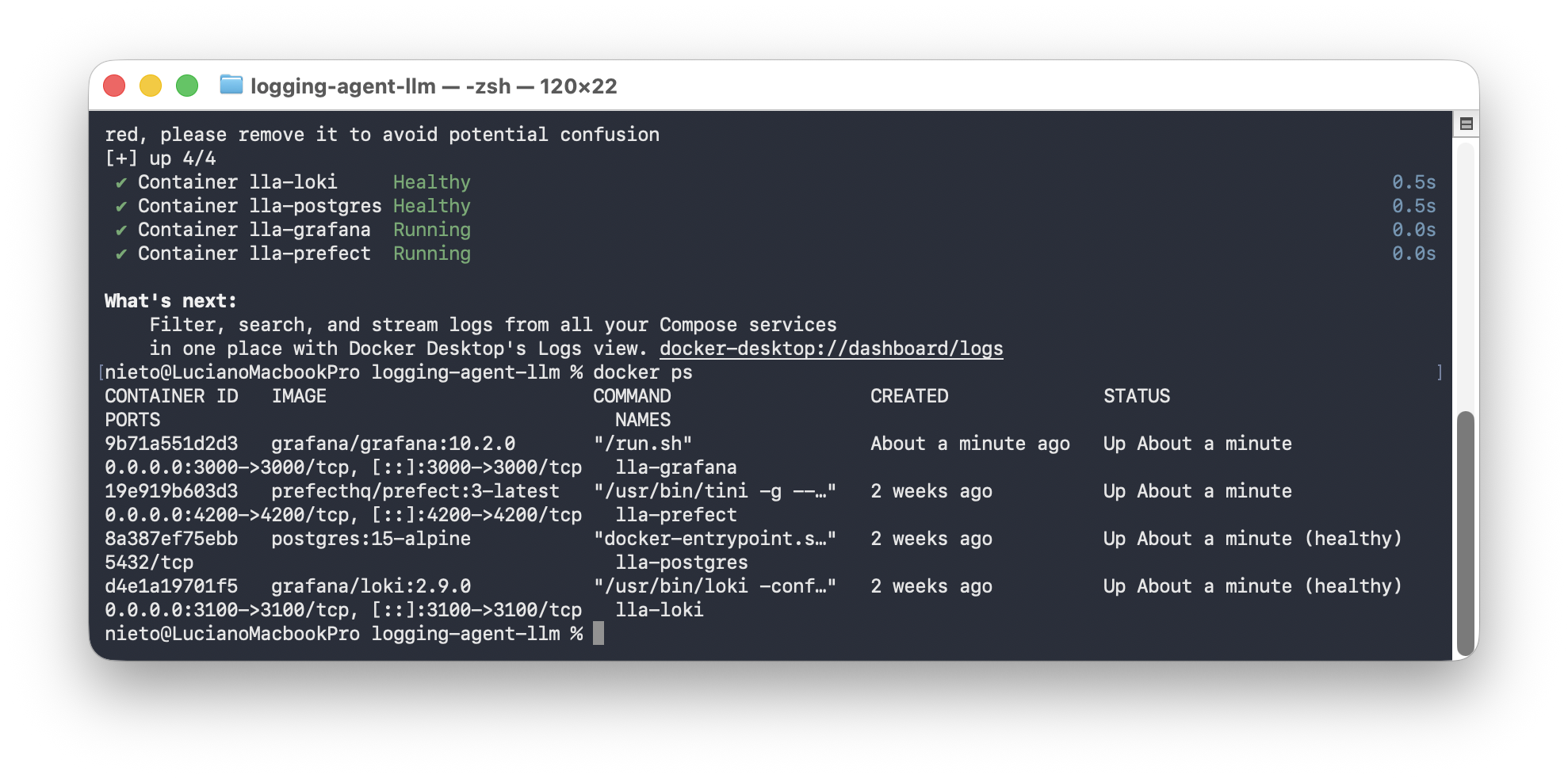
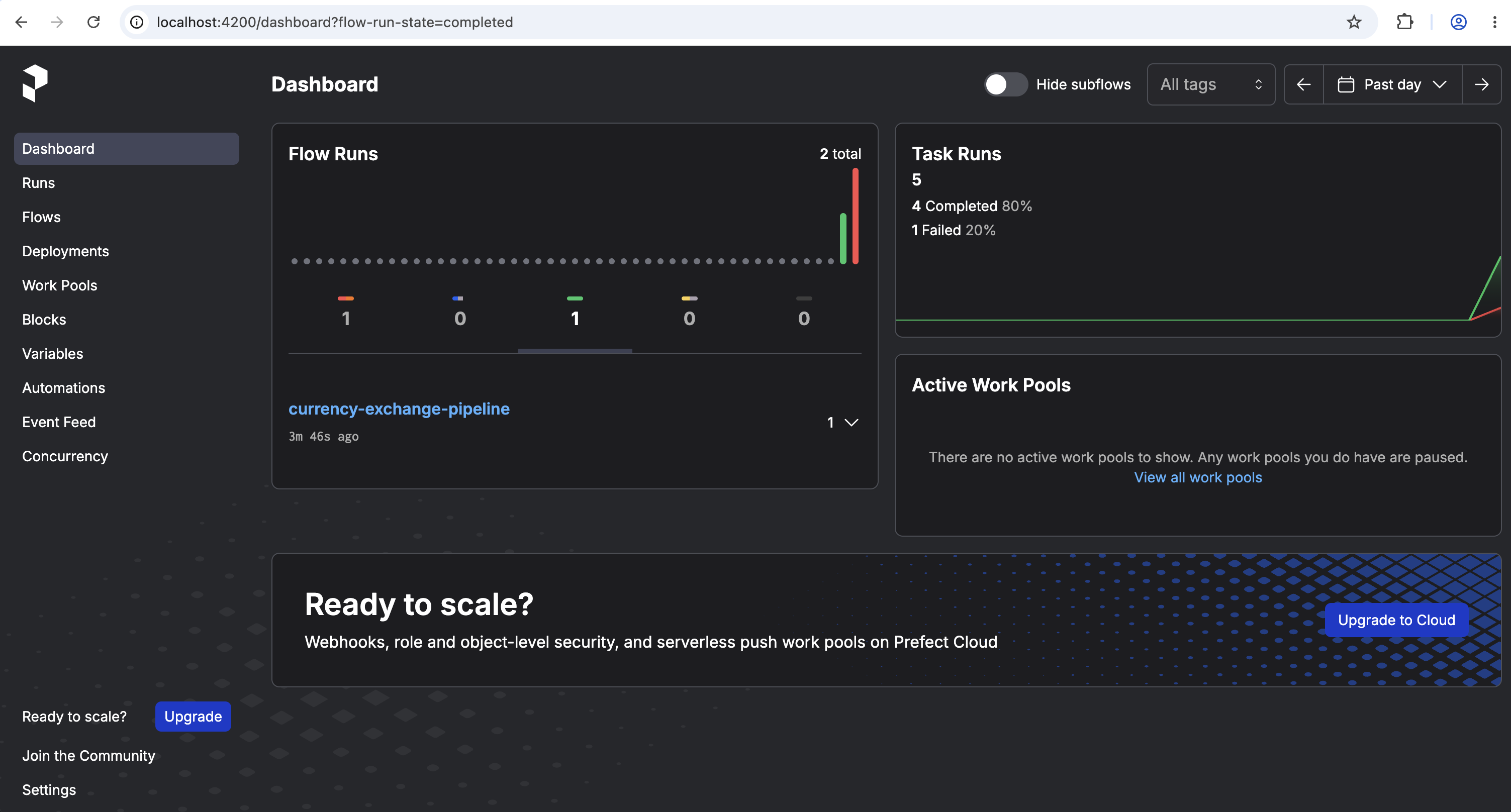
Verify Prefect UI is running at http://localhost:4200:
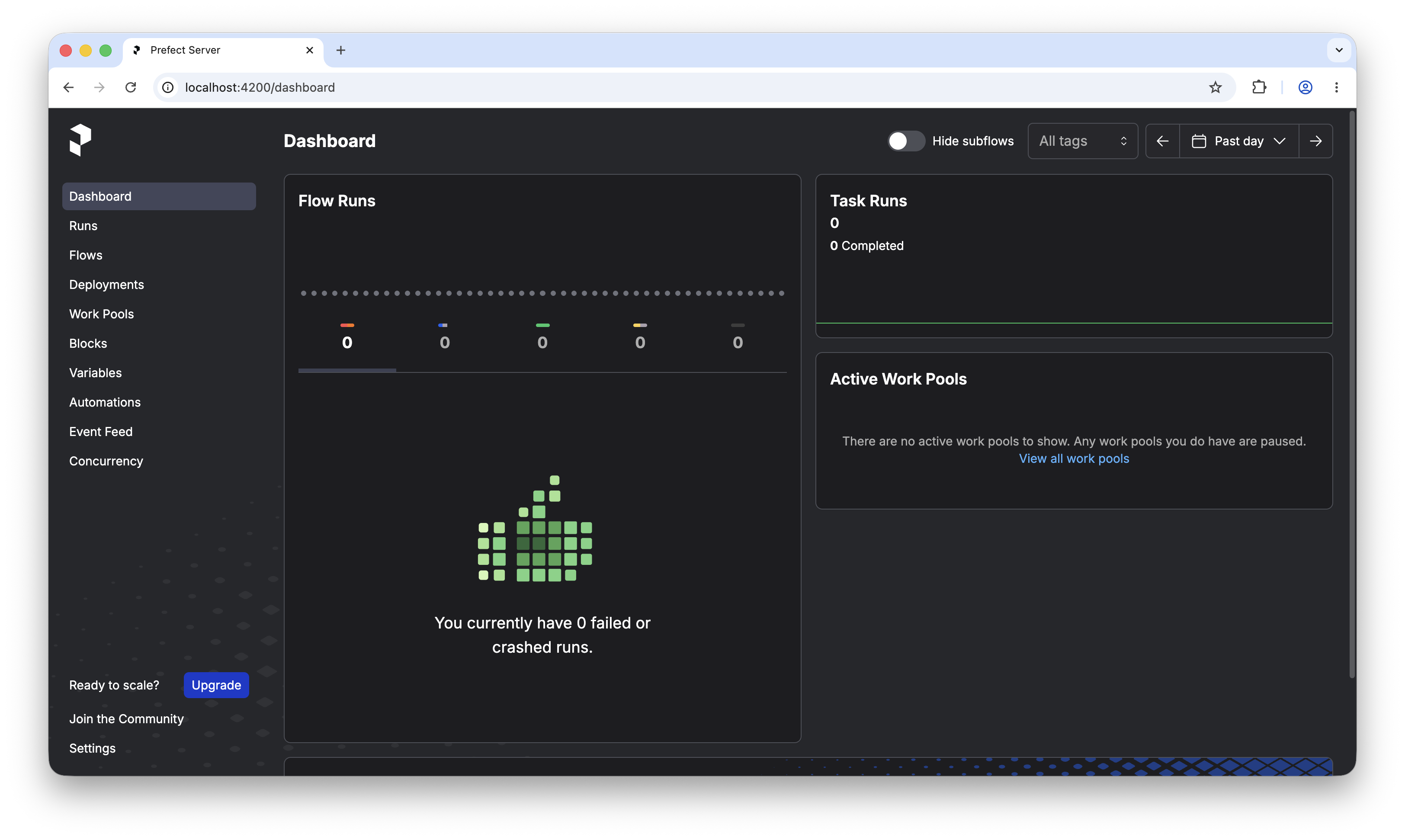
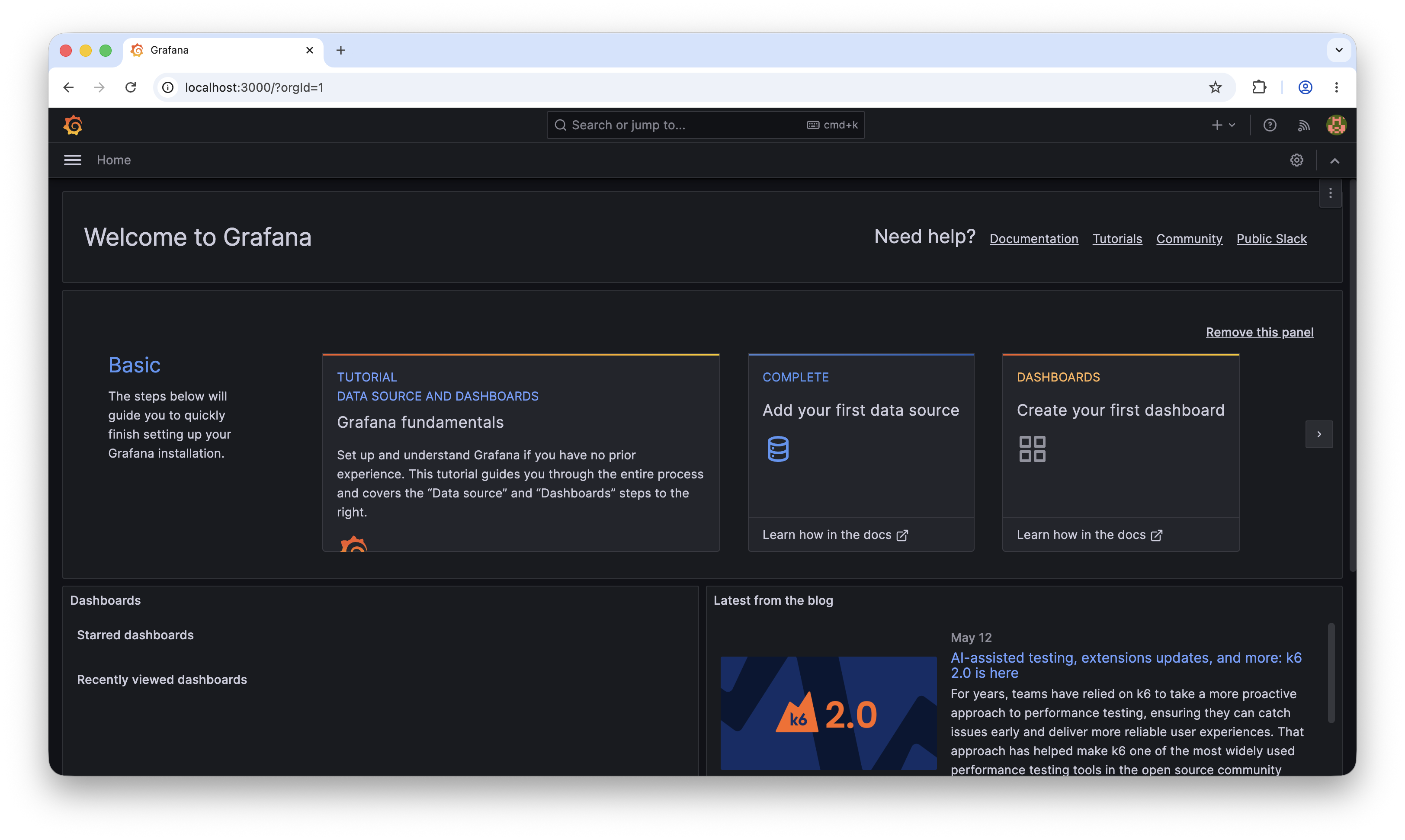
Verify Grafana is running at http://localhost:3000 (default credentials: admin / admin):
Step 4 - Understanding the code
Loki Handler
The loki_handler.py sets up a custom Python logger that ships every log line to Loki with structured labels: application and flow which makes filtering in Grafana very clean:
# dataflow/utils/loki_handler.py
def setup_loki_handler(application_name: str, flow_name: str) -> logging.Logger:
    loki_handler = logging_loki.LokiHandler(
        url=LOKI_SERVER,
        tags={
            "application": application_name,
            "flow": flow_name,
        },
        version="1",
    )
    stream_handler = logging.StreamHandler()
    stream_handler.setLevel(logging.DEBUG)
    loki_handler.setLevel(logging.DEBUG)

    logger = logging.getLogger(flow_name)
    logger.addHandler(loki_handler)
    logger.addHandler(stream_handler)
    logger.setLevel(logging.DEBUG)
    return logger
Every task in the pipeline imports this logger instead of using Prefect’s default logger, this is what makes logs queryable in Loki.
Prefect Pipeline
"""
Prefect Data Flow 1 - Currency Exchange Pipeline
API: frankfurter.app
Output: data/currency_rates.csv

Simulate 2 scenarios:
  1. Success: fetch real exchange rates EUR → USD, GBP, BRL, JPY, CHF
  2. Forced Error: attempt to fetch invalid currency (XXX) → controlled failure
"""

import requests
import pandas as pd
import random
from datetime import datetime, timezone
from pathlib import Path
from prefect import flow, task
from dataflow.utils.loki_handler import setup_loki_handler

BASE_URL = "https://api.frankfurter.app"
BASE_CCY = "EUR"
TARGET_CCY = ["USD", "GBP", "BRL", "JPY", "CHF"]
OUTPUT_DIR = Path("data")
OUTPUT_FILE = OUTPUT_DIR / "currency_rates.csv"
ERROR_RATE = 0.3

logger = setup_loki_handler("logging-agent-llm", "currency-exchange-pipeline")
logger.info("Pipeline started at %s", datetime.now().isoformat())

# ----- Tasks -----

# This requires all the tasks performed in the pipeline:


@task(name="fetch_exchange_rates", retries=1, retry_delay_seconds=5)
def fetch_rates(base: str, targets: list[str]) -> dict:
    """Fetch exchange rates from the API."""
    logger.info("Fetching rates: %s → %s", base, targets)
    symbols = ",".join(targets)
    url = f"{BASE_URL}/latest?from={base}&to={symbols}"

    logger.info("Requesting URL: %s", url)
    try:
        response = requests.get(url, timeout=10)
        response.raise_for_status()
    except requests.RequestException as e:
        logger.error("Error fetching exchange rates: %s", e)
        raise
    logger.info("Successfully fetched rates! Status code: %d", response.status_code)
    data = response.json()
    logger.info("Rates fetched for date: %s", data.get("date"))
    return data


@task(name="inject_error_simulation")
def maybe_inject_error() -> bool:
    """Simulate error injection with probability ERROR_RATE."""
    if random.random() < ERROR_RATE:
        url = f"{BASE_URL}/latest?from=EUR&to=XXX"
        response = requests.get(url, timeout=10)
        logger.warning(
            "Error received for url %s: %s - Status %d",
            url,
            response.text,
            response.status_code,
        )
        response.raise_for_status()
        return True

    logger.info("No error injected this run")
    return False


@task(name="transform_to_dataframe")
def transform(data: dict) -> pd.DataFrame:
    """Transform raw API data into a DataFrame."""
    rows = []
    for currency, rate in data["rates"].items():
        rows.append(
            {
                "extracted_at": datetime.now(timezone.utc).isoformat(),
                "base_currency": data["base"],
                "target_currency": currency,
                "rate": rate,
                "date": data["date"],
            }
        )

    df = pd.DataFrame(rows)
    logger.info("Transformed %d rows", len(df))
    return df


@task(name="save_to_csv")
def save_csv(df: pd.DataFrame) -> str:
    """Save DataFrame to CSV, appending if file exists."""
    OUTPUT_DIR.mkdir(parents=True, exist_ok=True)

    # Append to existing file if it exists, otherwise create new
    if OUTPUT_FILE.exists():
        existing = pd.read_csv(OUTPUT_FILE)
        df = pd.concat([existing, df], ignore_index=True)

    df.to_csv(OUTPUT_FILE, index=False)
    logger.info("File saved %d total rows to %s", len(df), OUTPUT_FILE)
    return str(OUTPUT_FILE)


# ----- Flow -----


@flow(
    name="currency-exchange-pipeline",
    description="Fetches EUR exchange rates and saves to CSV. Simulates random errors.",
    log_prints=True,
    flow_run_name=lambda: f"currency-run-{datetime.now().strftime('%Y%m%d-%H%M%S')}",
)
def currency_pipeline():
    logger.info("Starting Currency Exchange Pipeline")

    # Try to inject error (30% chance) before fetching real rates
    maybe_inject_error()

    # Extract
    raw = fetch_rates(base=BASE_CCY, targets=TARGET_CCY)

    # Transform
    df = transform(raw)

    # Save
    path = save_csv(df)

    logger.info("Pipeline complete | output: %s", path)
    return path


# ----- Entrypoint -----
if __name__ == "__main__":
    currency_pipeline()
Currency Exchange Flow
flow_currency.py is the main pipeline. It has four tasks:
# flows/flow_currency.py

@task(name="fetch_exchange_rates", retries=1, retry_delay_seconds=5)
def fetch_rates(base: str, targets: list[str]) -> dict:
    """Fetch live EUR exchange rates from Frankfurter API."""
    ...

@task(name="inject_error_simulation")
def maybe_inject_error() -> bool:
    """Injects a controlled failure 30% of the time fetches invalid currency XXX."""
    ...

@task(name="transform_to_dataframe")
def transform(data: dict) -> pd.DataFrame:
    """Transforms raw API response into a structured DataFrame."""
    ...

@task(name="save_to_csv")
def save_csv(df: pd.DataFrame) -> str:
    """Appends new rates to data/currency_rates.csv."""
    ...
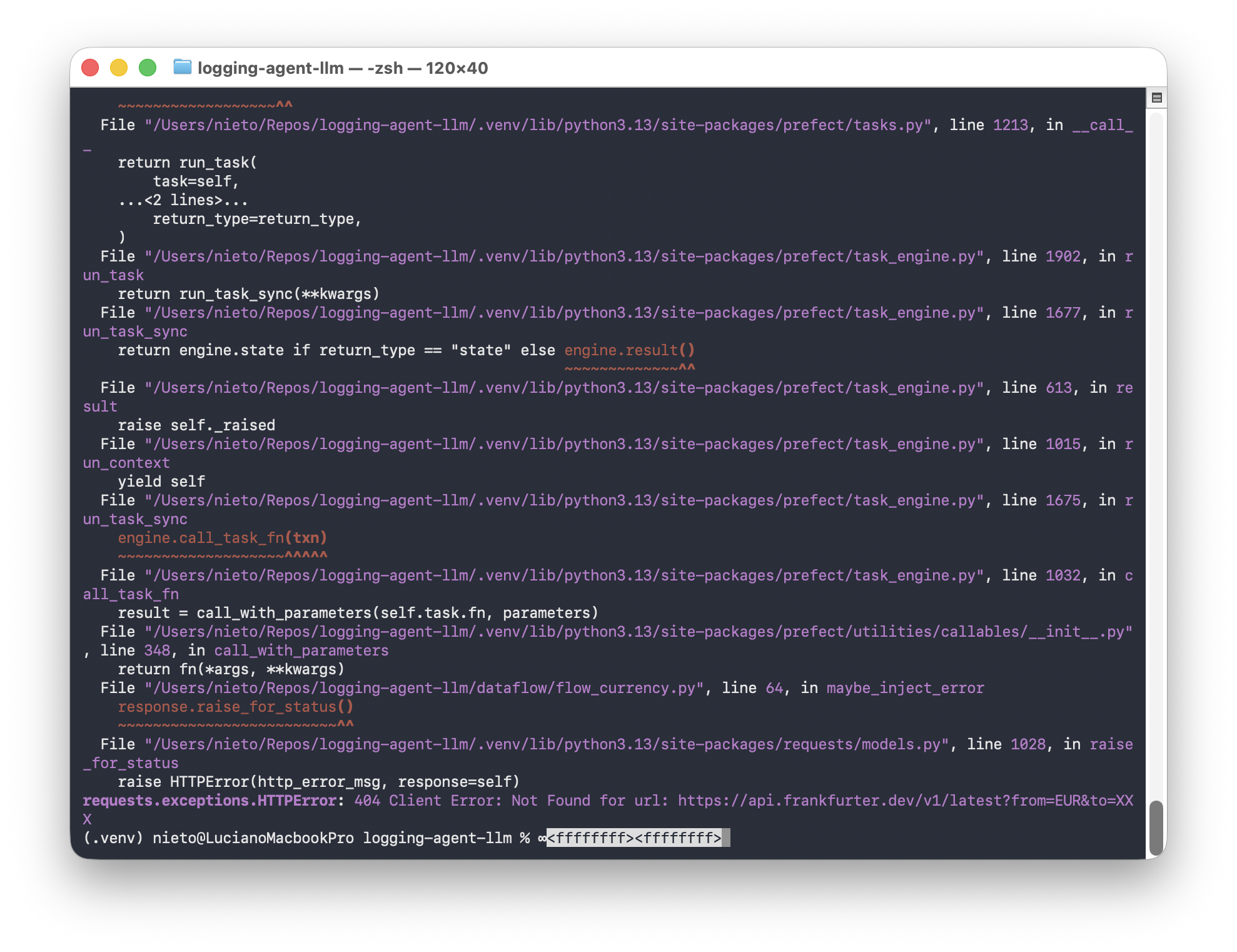
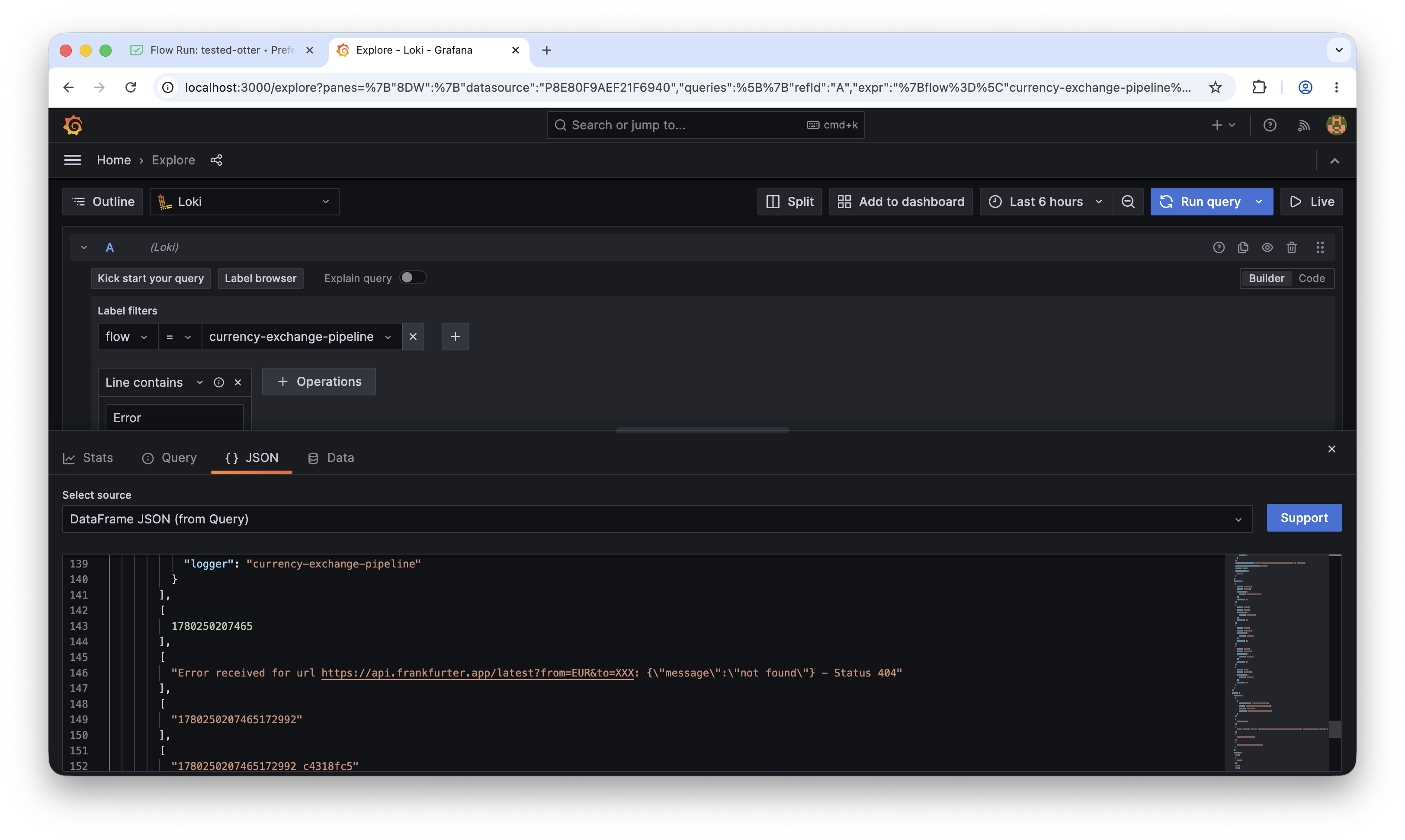
The error injection (maybe_inject_error) is intentional, it simulates real-world pipeline failures at a 30% rate by requesting an invalid currency code (XXX), which triggers an HTTP error and generates ERROR-level logs in Loki.
LLM Agent Flow
logger_agent_pipelines.py is the agent layer. It runs as a separate Prefect flow and does three things:
1. Fetch errors from Loki using the HTTP API with a LogQL query:
def fetch_errors_from_loki():
    query_params = {
        "query": '{application="logging-agent-llm"} |= `Error`',
        "start": str(start),   # last 3 days
        "end": str(now_ns),
    }
    response = httpx.get(LOKI_URL, params=query_params)
    ...
2. Send logs to Gemma3 via Ollama with a structured system prompt.
3. Send the diagnosis by email via SMTP.
Step 5 - Run the currency pipeline
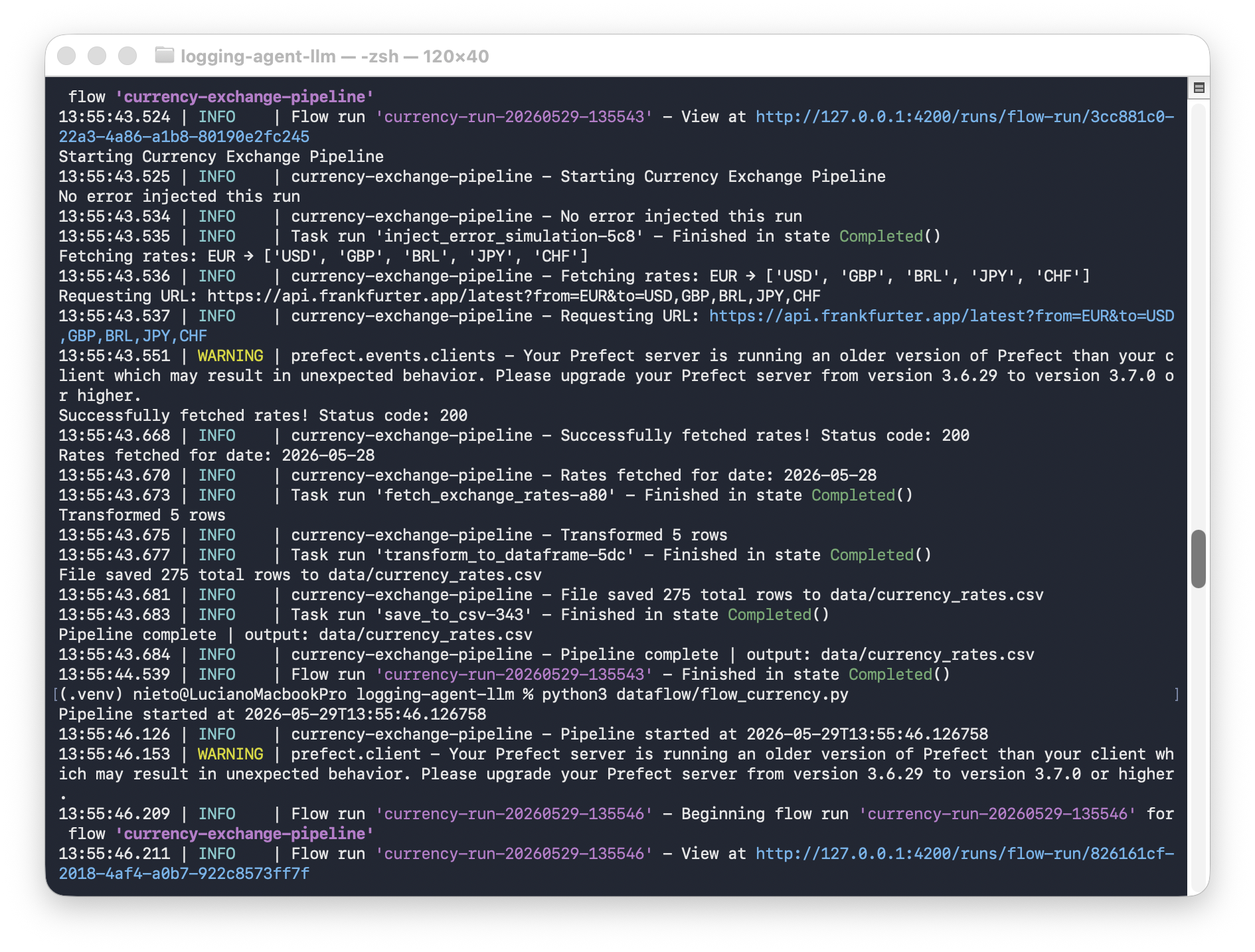
With the Prefect server running, start the flow:
python dataflow/flow_currency.py
Or serve it as a Prefect deployment that can be triggered from the UI:
prefect deployment run 'currency-exchange-pipeline/currency-pipeline'
Prefect:
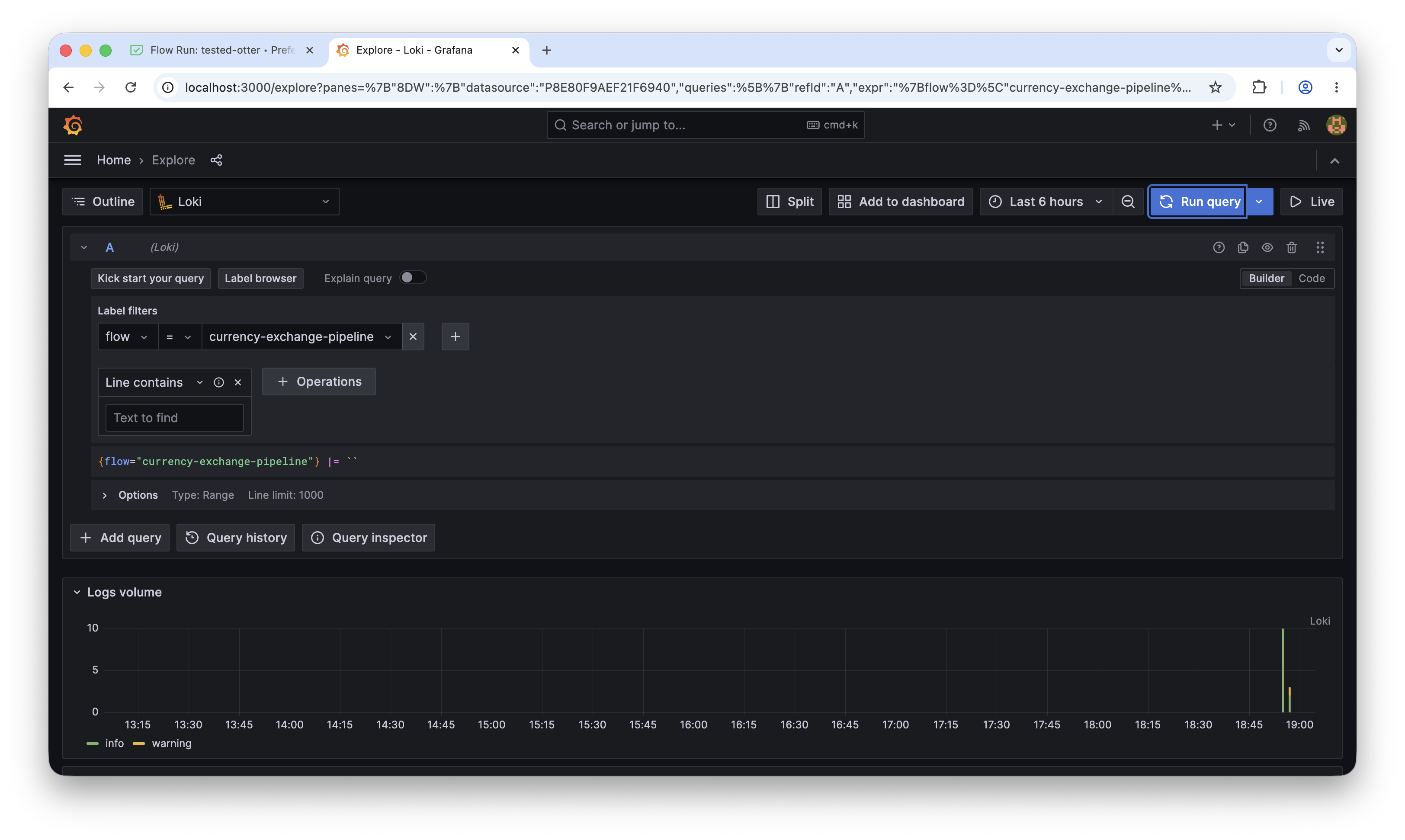
Check that logs are arriving in Grafana. Open http://localhost:3000
{application="logging-agent-llm"}
Grafana
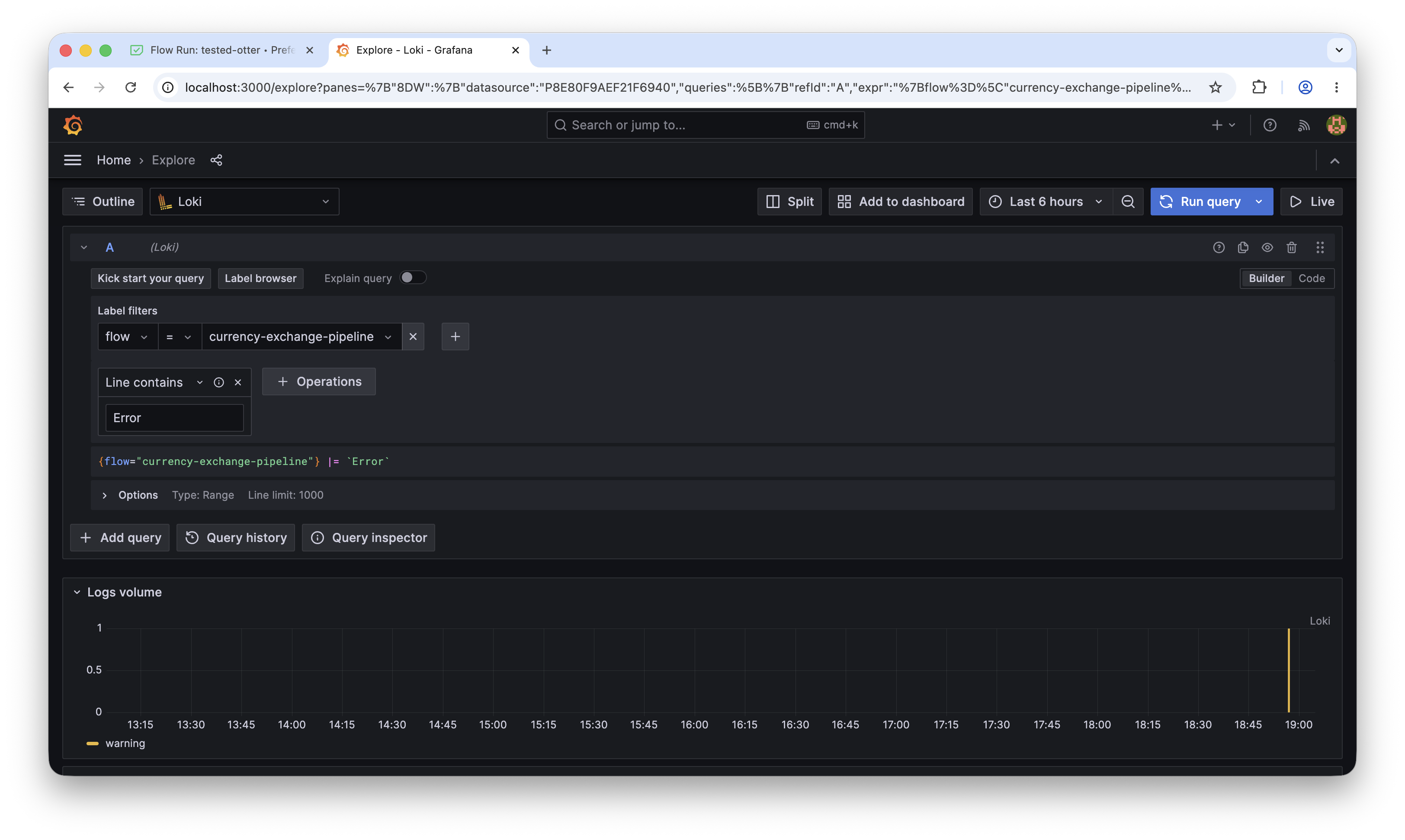
Filter only errors:
{application="logging-agent-llm"} |= `Error`
Detail of the log:
Step 7 - Run the LLM Agent
python flows/logger_agent_pipelines.py
This serves the agent as a long-running Prefect deployment. You can also trigger it manually:
prefect deployment run 'LLM Mac Log Agent/mac-log-analyzer'
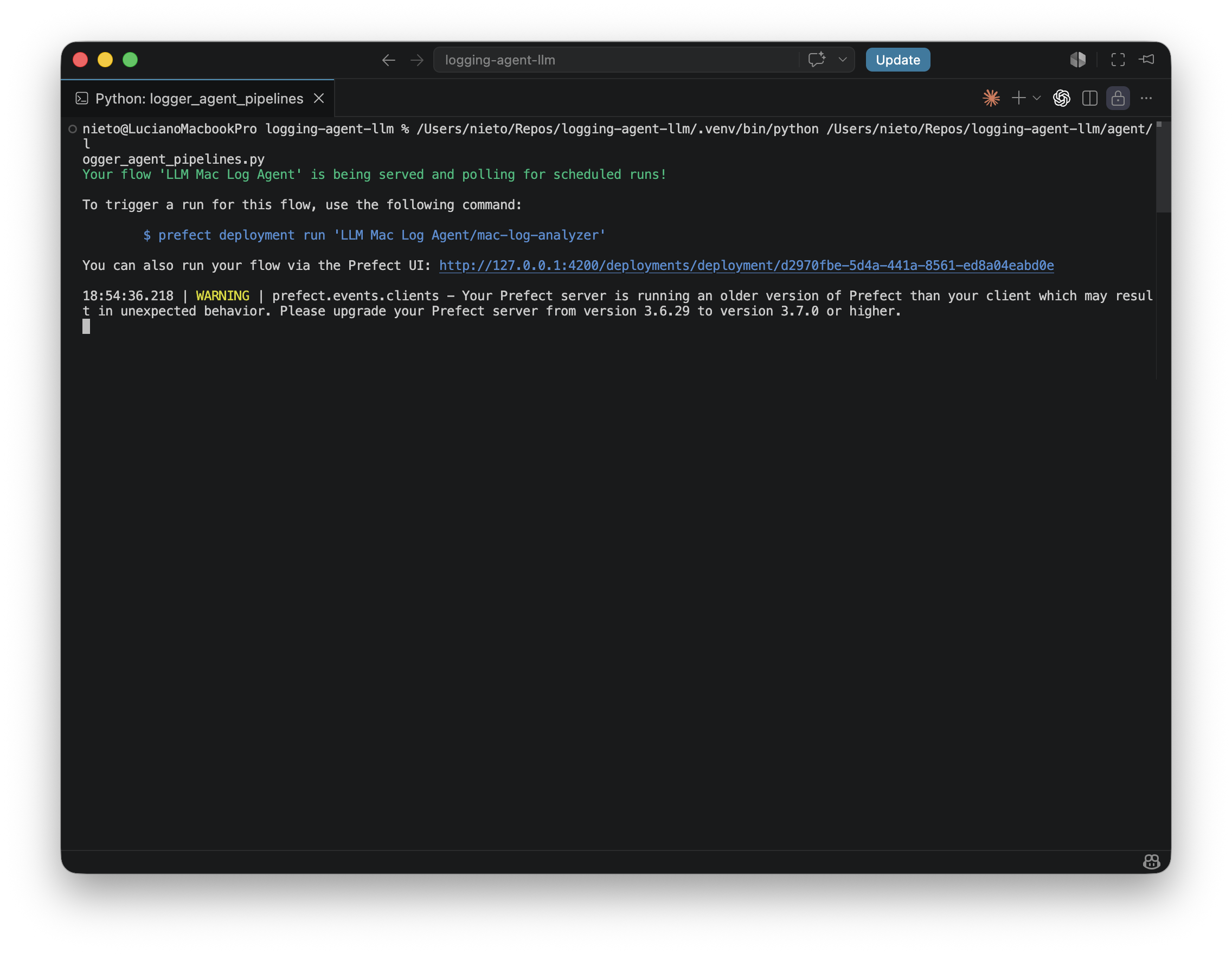
See the deployment on Prefect
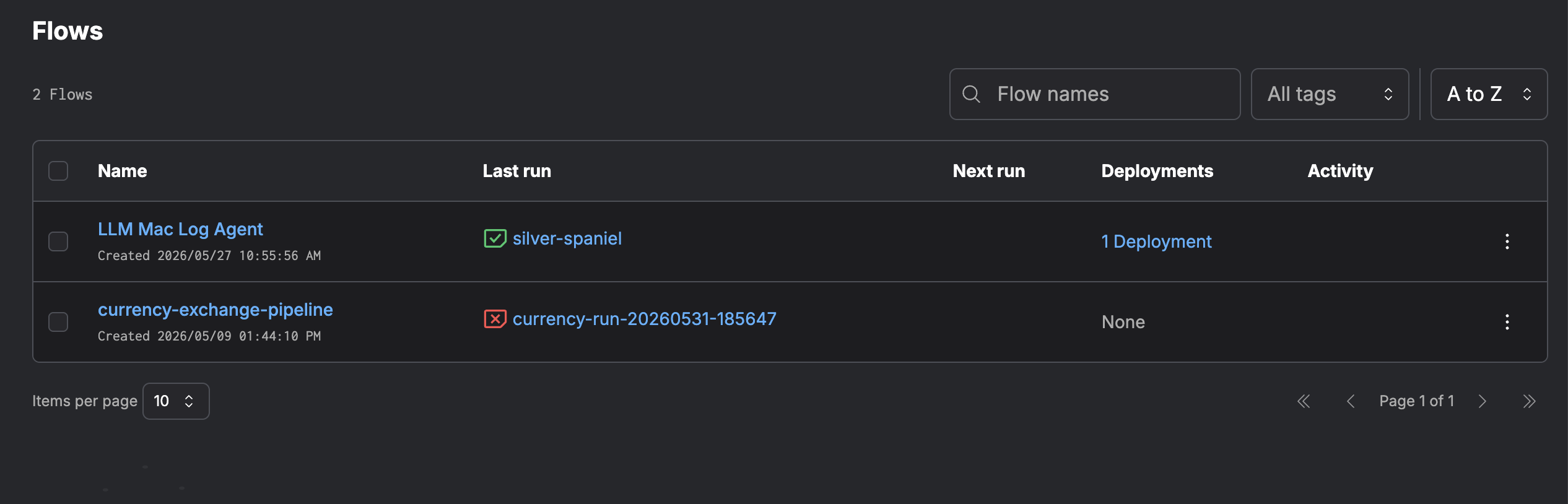
Run the pipeline
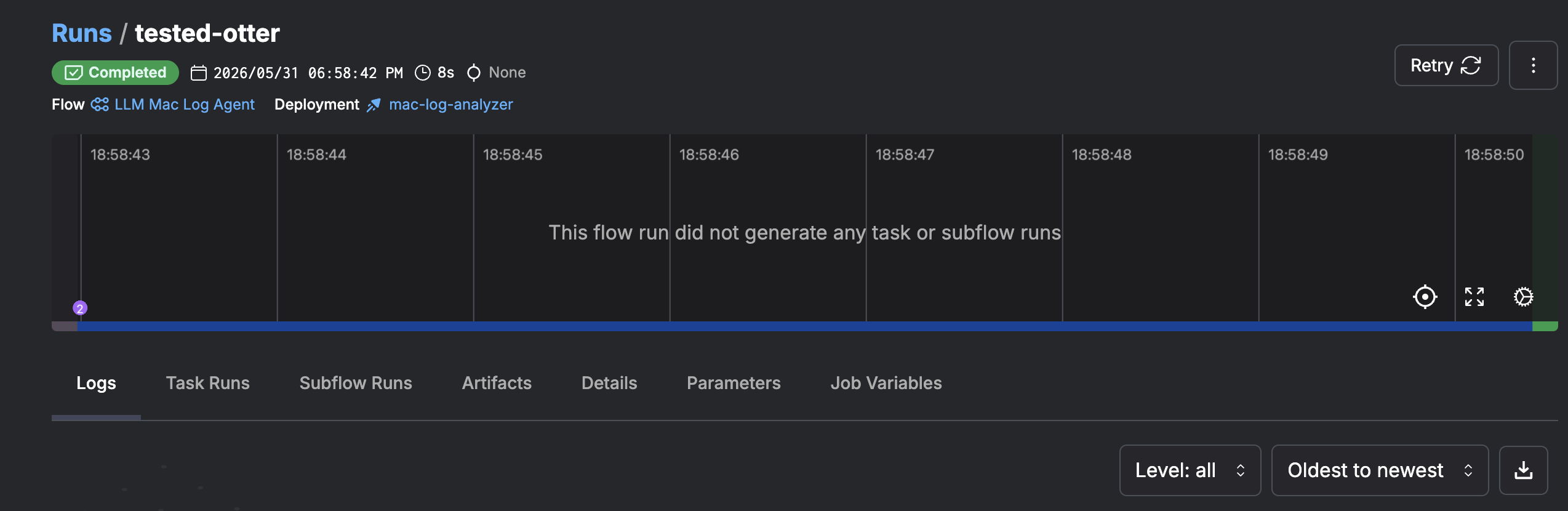
Check the logs
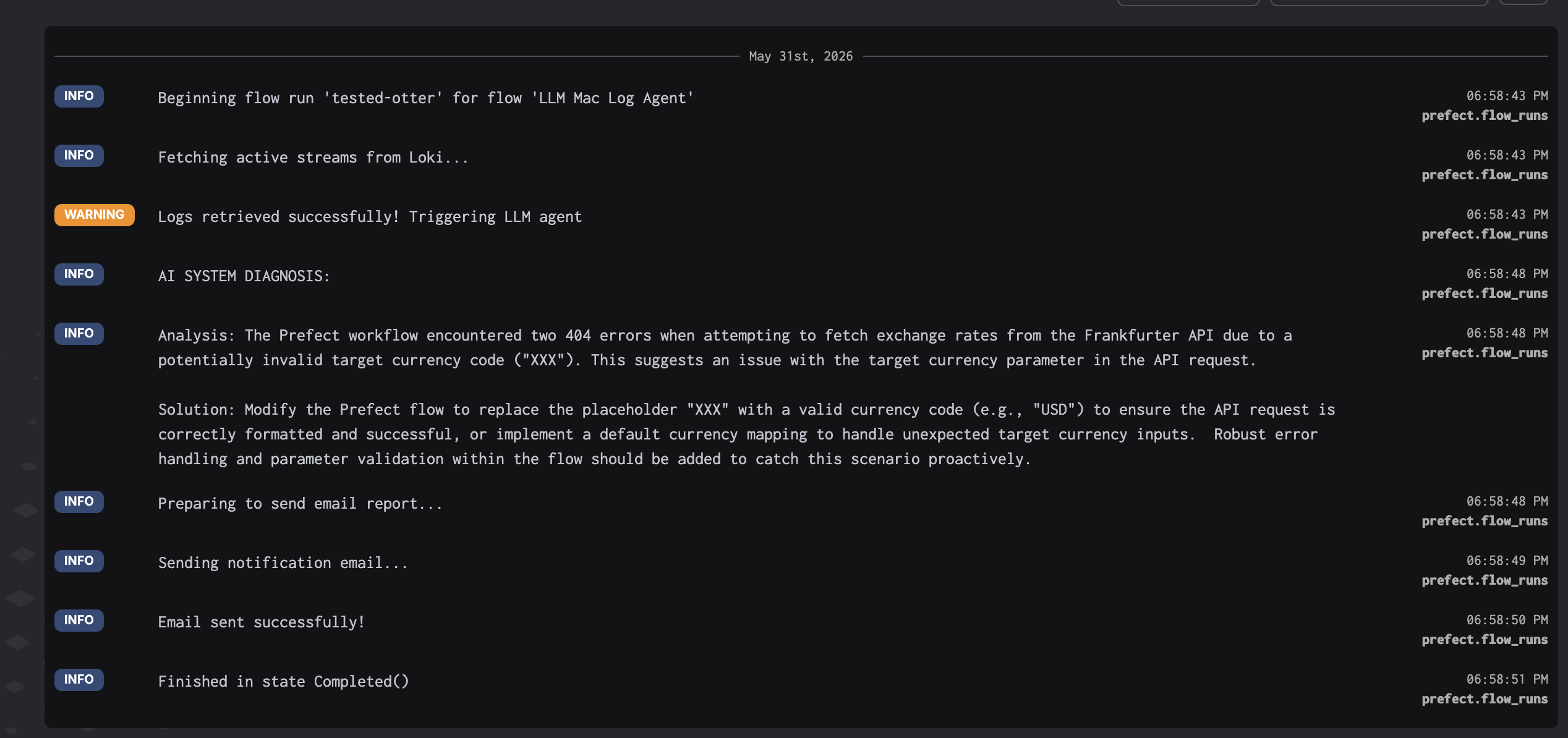
Logs on service (local)
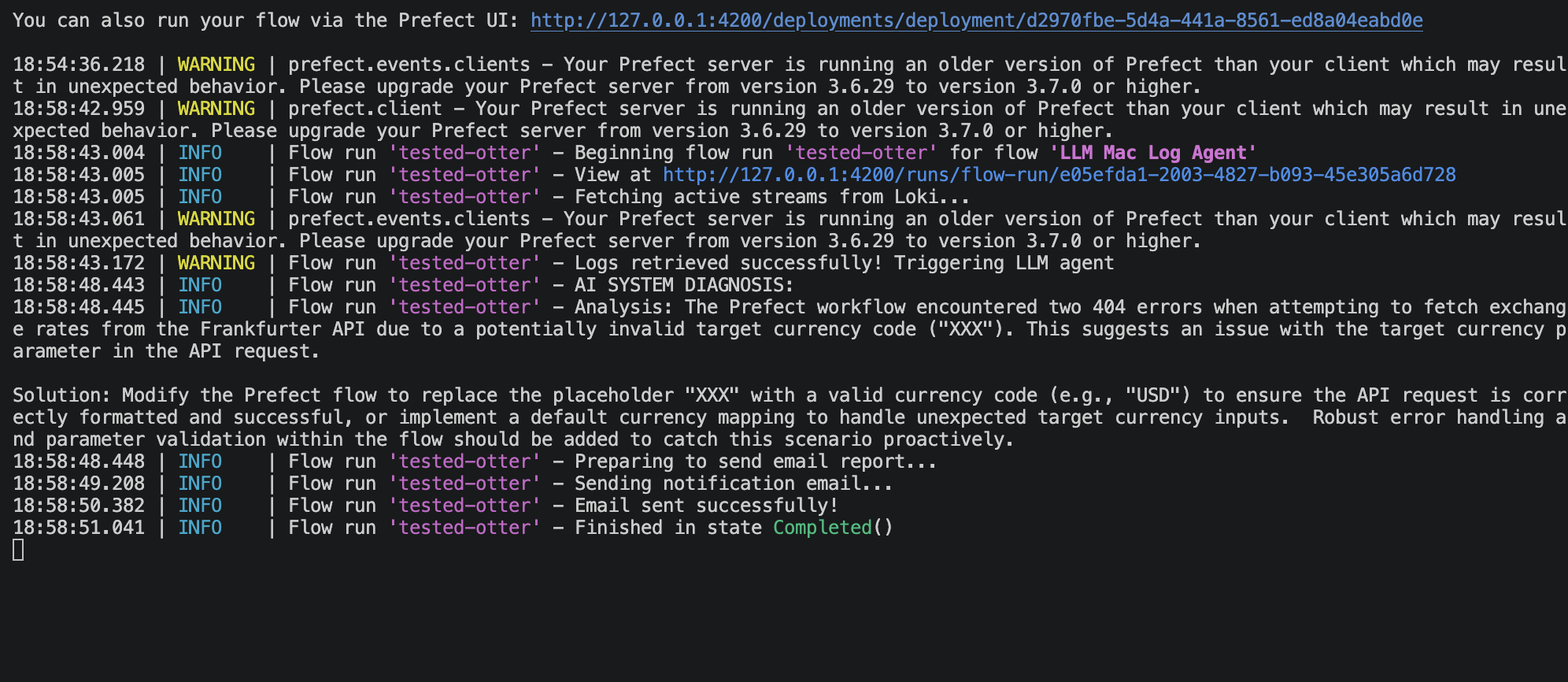
Result
Email output:
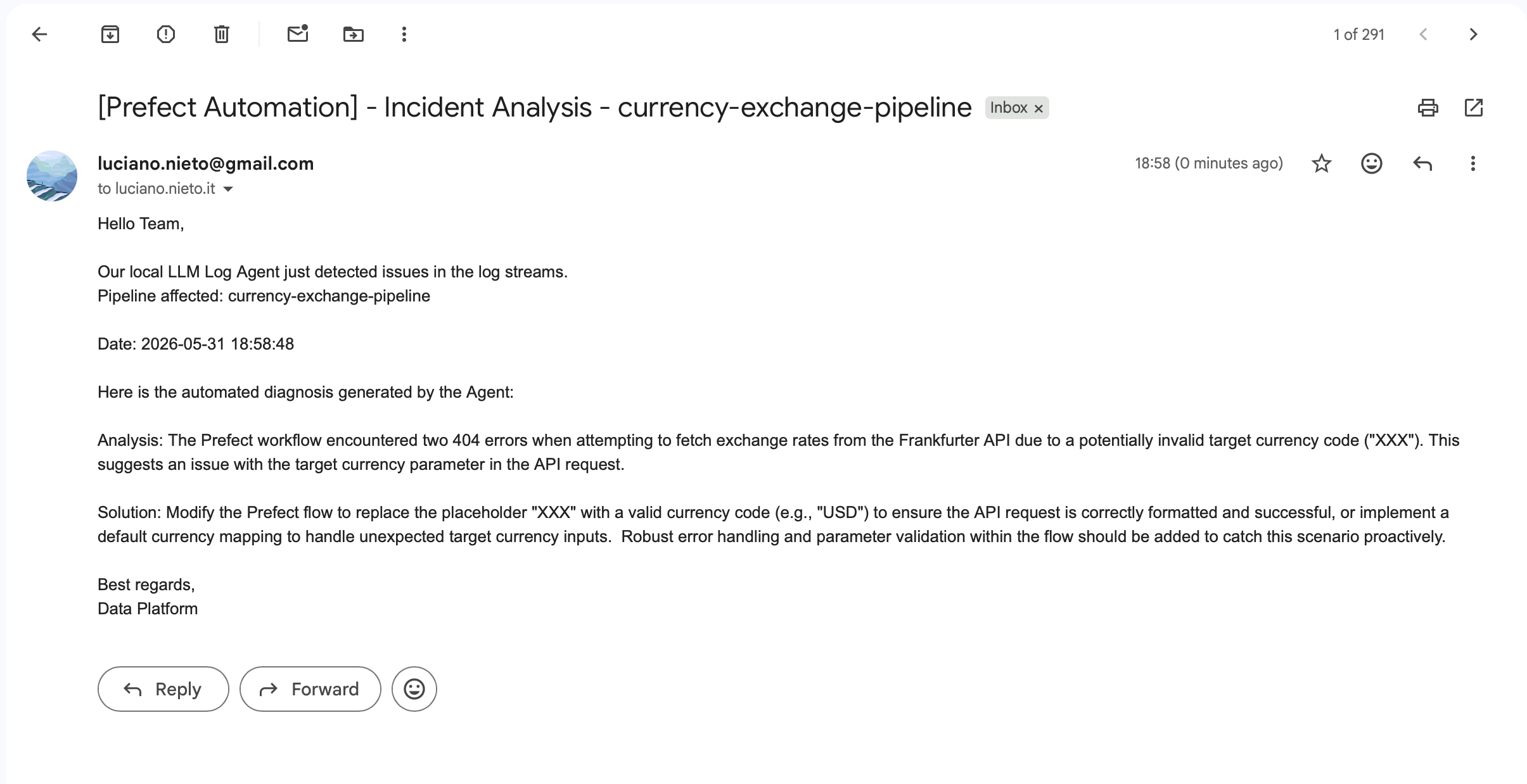
The full loop works end to end:
- Prefect runs the currency pipeline on schedule.
- All logs (INFO, WARNING, ERROR) are shipped to Loki in real time.
- Grafana provides full visibility over log streams.
- When errors occur, the LLM Agent fetches them, runs a local Gemma3 diagnosis, and sends a structured email: no cloud LLM API needed, no cost, full privacy.
More
- GitHub Repo here.